Open Quick Navigation
Close Quick Navigation
Project: Gartner Digital Markets

Dashboard Re-Design & User Testing

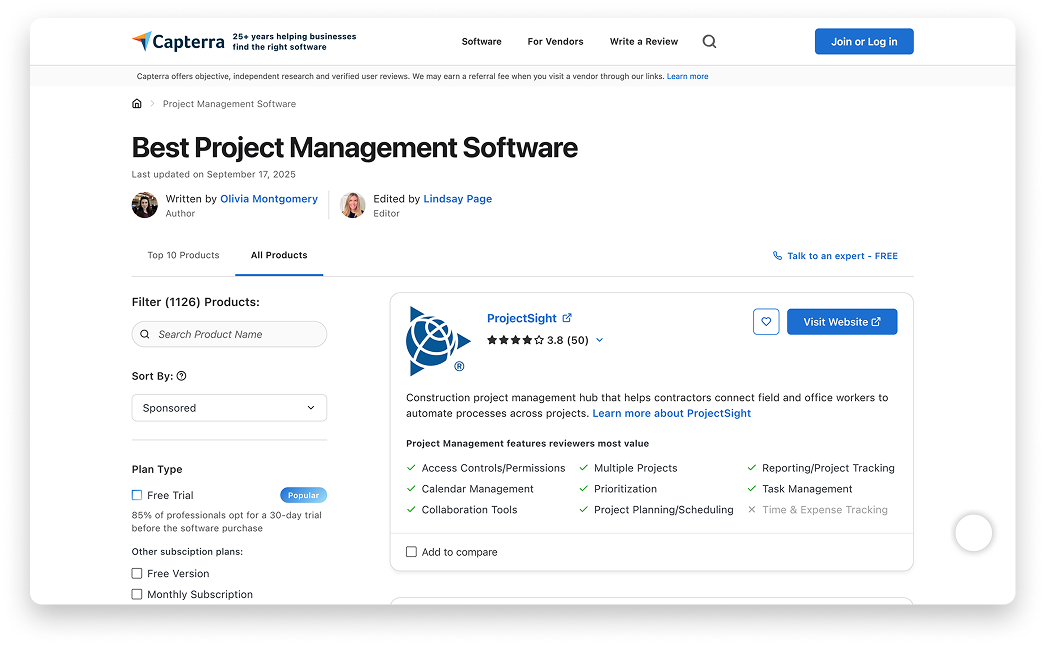
Gartner Digital Markets owns three websites (Capterra, Software Advice, and GetApp) that help users compare software products across many industries.

Behind the scenes, software vendors bid for higher placement in sponsored listings. The backend portal that supports this activity is where I did most of my work. This case study outlines the process of redesigning and testing the main dashboard within that backend portal experience.
View Executive Presentation
Problem
The main customer dashboard suffered from low engagement, low page views, and an outdated design. As the homepage of the customer portal, its poor usability and unclear navigation created missed opportunities for both users and the business.
Solution
We improved the experience by introducing new functional modules, modernizing the visual design, and simplifying navigation. These updates made the dashboard easier to understand and increased opportunities for engagement and revenue.
My Role
I co-designed the dashboard's visual and structural direction and led all user research, from planning and facilitation to synthesis and stakeholder presentations. I also advocated for user testing to validate decisions and guide improvements.

Product Background and Brief

Overview: At Gartner Digital Markets we supported three websites (Capterra, Software Advice, and GetApp) that all offered ranked software listings and comparison tools. I worked on the backend of the platform, known as the vendor portal, where software companies bid, track, and analyze the performance of their listings and reviews.
Capterra "Front-End" Experience
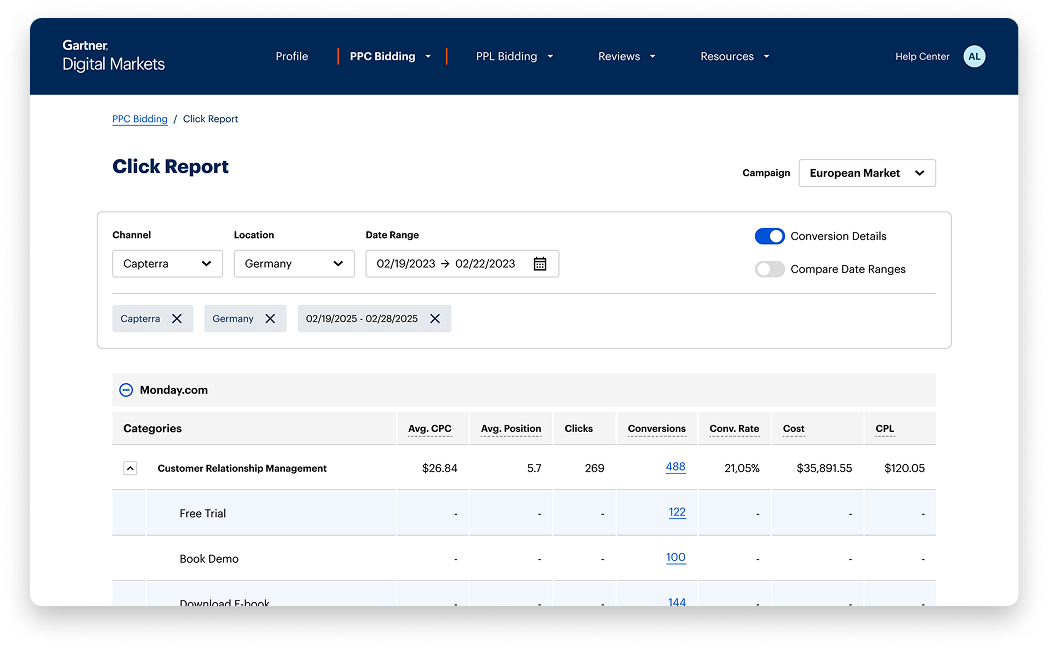
Capterra "Back-End" Experience
Key Product Concepts/ Pages
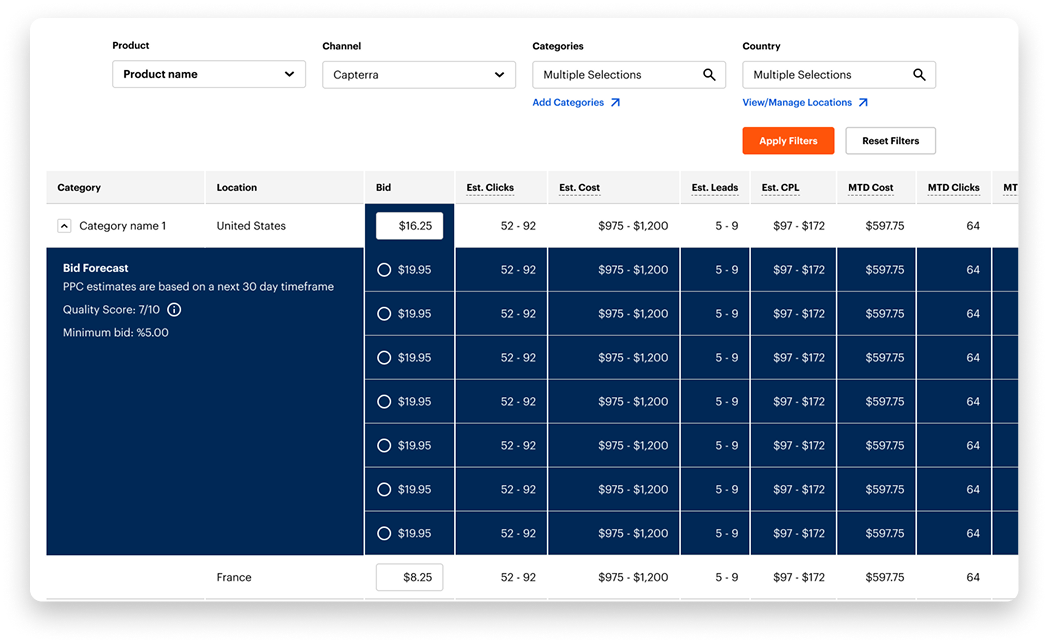
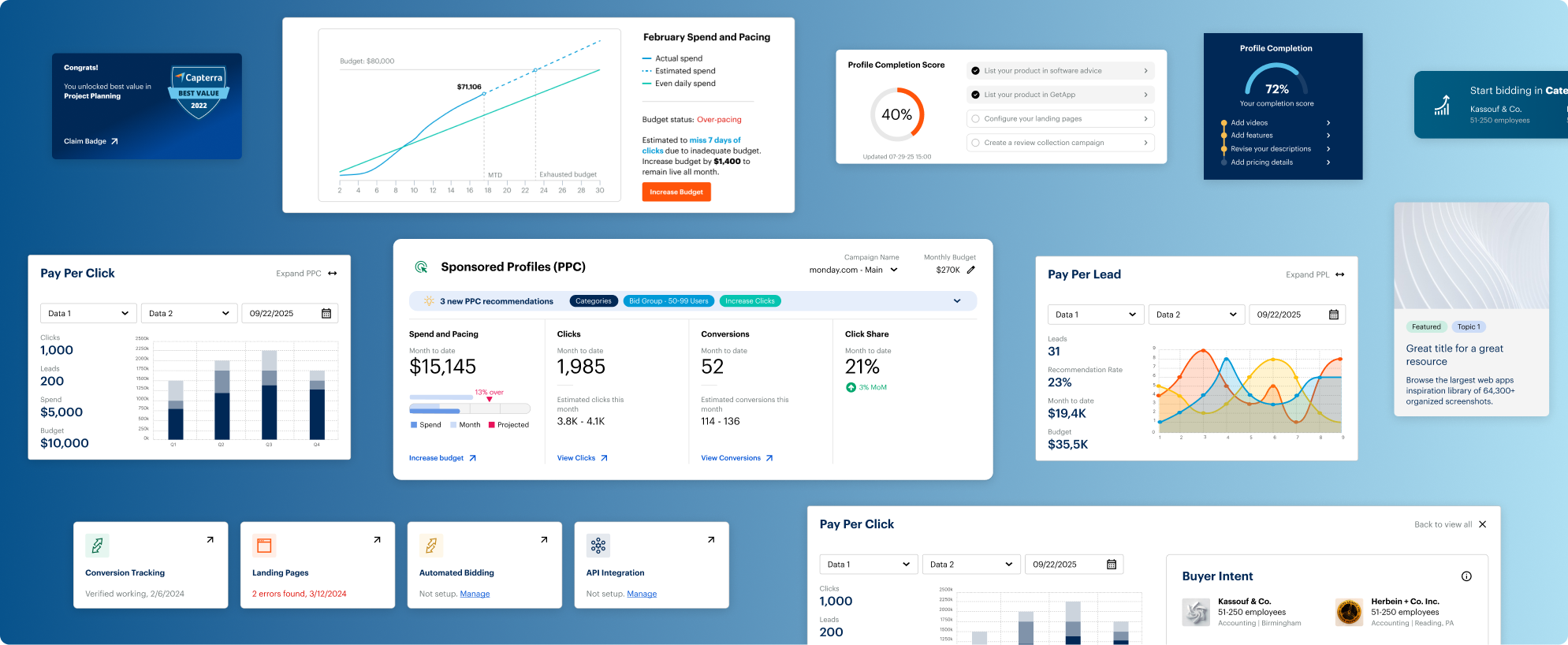
These websites were based on PPC (Pay-Per-Click) and PPL (Pay-Per-Lead) structures. Software companies would bid on how much they would pay per lead/click and appear higher on ranked lists (under “featured” tags) based on that. Users create PPC or PPL “campaigns” that can contain any combination of product, category, or country they would like to compete in.
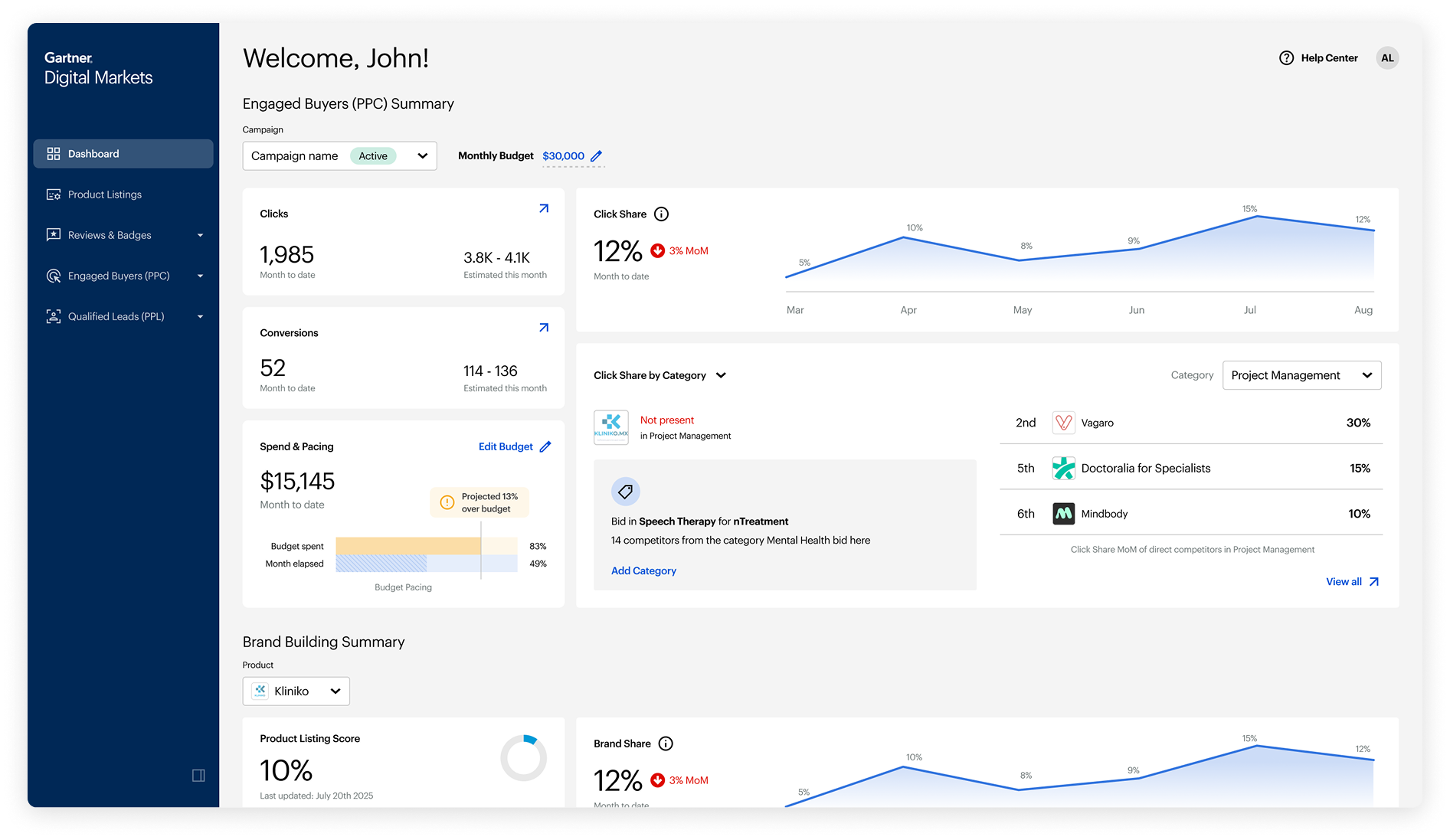
Dashboard/ Homepage
This is the homepage of the “Vendor Portal” - it acts as an overview for the user and offers recommendations to improve profiles and expand into new categories.
PPC/PPL Bidding Pages
This is the bidding page for PPC (it is mirrored for PPL) - it again acts as an overview and is where the user can manage campaigns, adjust their budget, and bid to get a better position in the auction.
Project Brief
These websites were based on PPC (Pay-Per-Click) and PPL (Pay-Per-Lead) structures. Software companies would bid on how much they would pay per lead/click and appear higher on ranked lists (under “featured” tags) based on that. Users create PPC or PPL “campaigns” that can contain any combination of product, category, or country they would like to compete in.

Initial Design Explorations

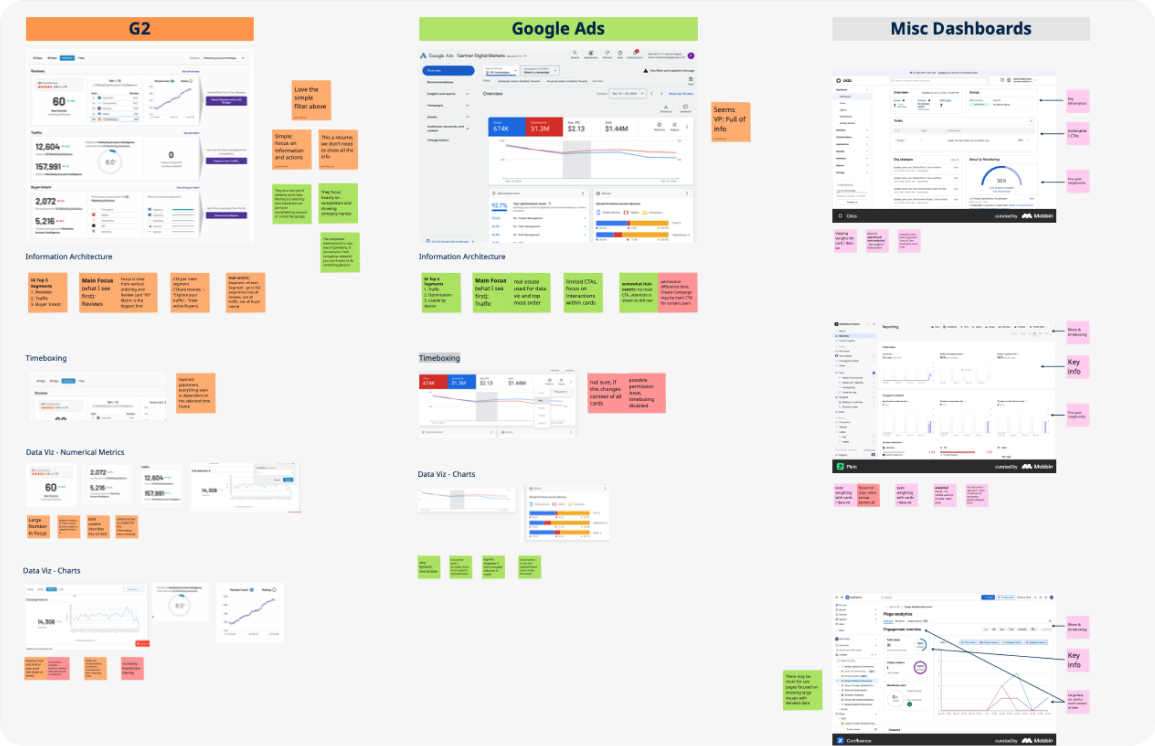
Competitive Landscape
The first step was to understand the industry standard for dashboards. We looked at how others presented a control center, created hierarchy, and organized multiple areas of information.

We identified two fundamentals that were missing in our experience: a sidebar navigation system and a modular approach to the content within the dashboard.
Sidebar Navigation
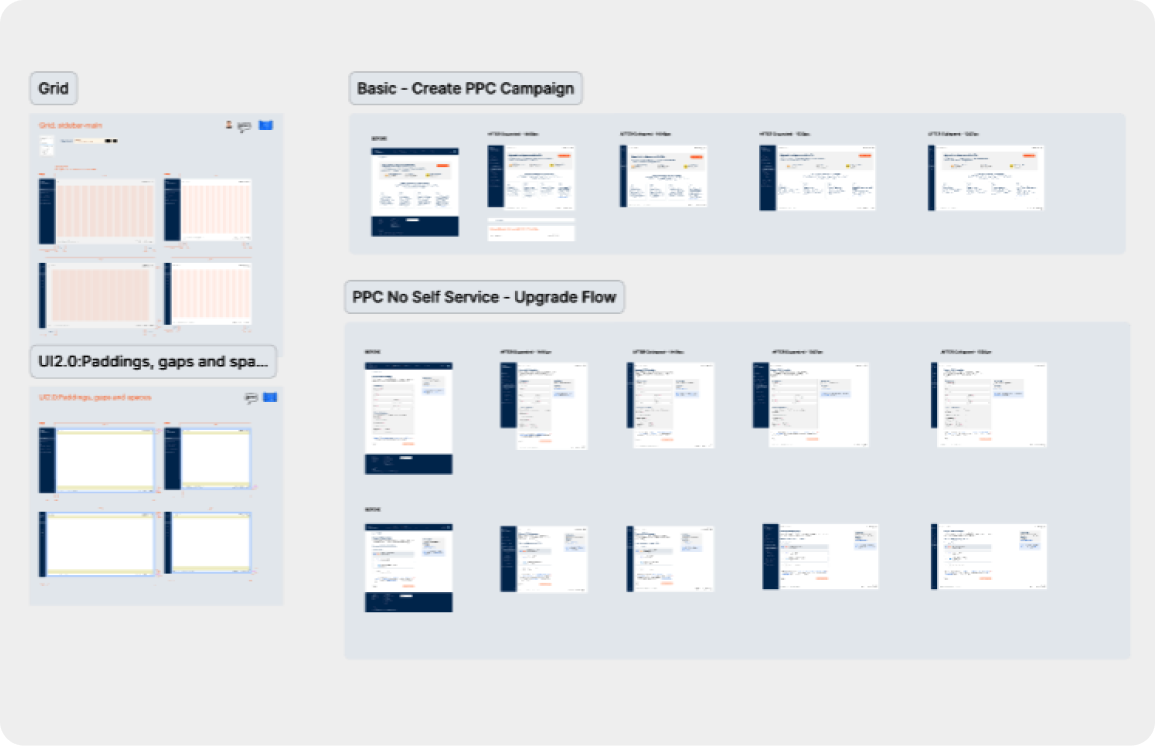
While this looked like an easy win, it quickly became more complex. Moving to a sidebar navigation is a global change because it affects every page in the dashboard.

We had to evaluate the impact across all pages and create a new grid system to support the shift.

The sidebar reduced available horizontal space, which caused issues on smaller laptop screens, so we also designed a collapsed version. Most of the work centered on making sure the new layout could scale across every page with as little disruption to the user as possible.
V0 Module Breakdown
This is where the heavy design work began. We needed to create a new modular layout for the dashboard that introduced clear visual sections while still staying within pre-established guidelines from product executives. The modular approach had to be flexible enough to support new modules after MVP and retain key design system elements from the previous version to enable faster delivery.
"In-context" Recommendations
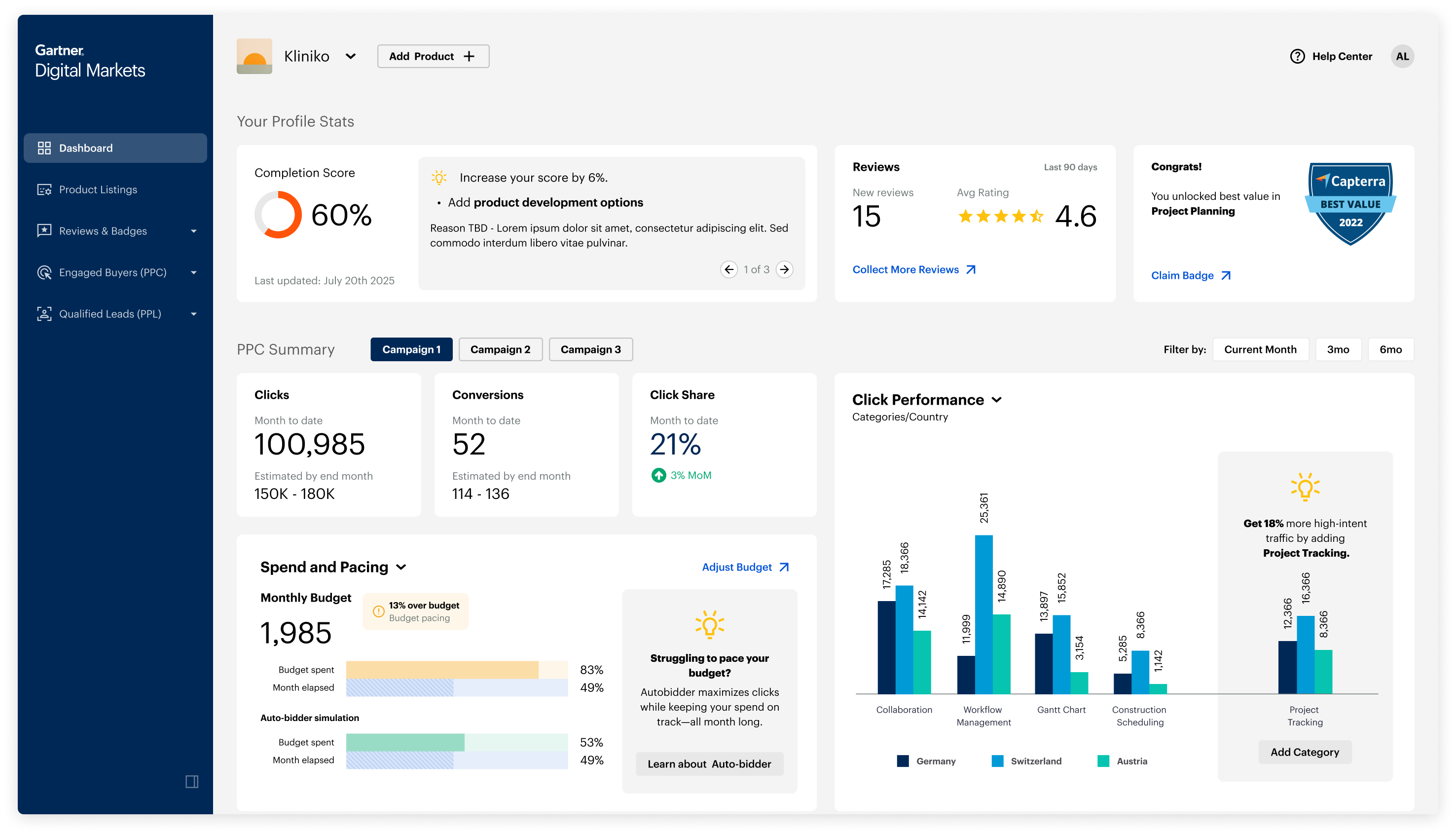
Recommendations are a core part of the dashboard and a major revenue driver because they encourage vendors to expand into new categories or increase budget. Changing these modules carried risk, but we saw a clear opportunity to strengthen them.

We explored making recommendations more compelling by placing them directly inside data visuals so the opportunity was shown in context rather than stated.

The final concept highlighted how much additional traffic a vendor could gain by expanding into new categories.
Helping Users Interpret
Spend & Pacing
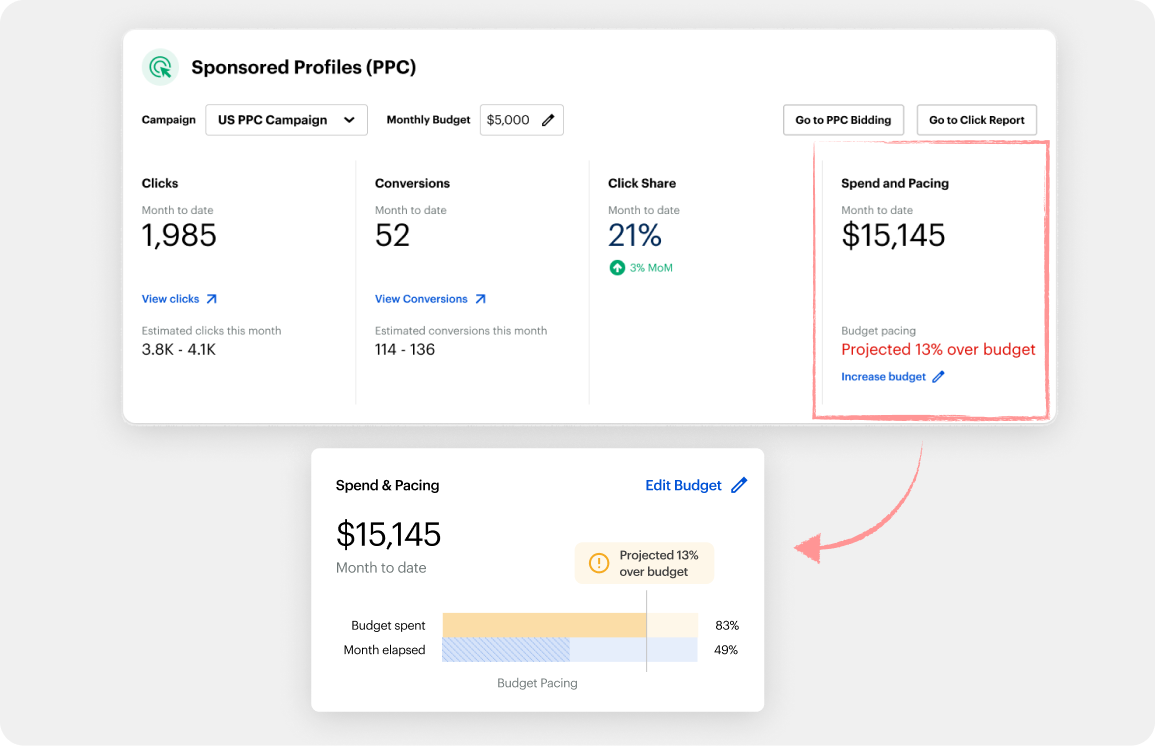
Spend and pacing is a critical part of the GDM model. It represents how much of a vendor's budget has been used at a given point in the month. If users spend too much too early or too little too late, they will not see the results they expect and may be less inclined to continue using the service.

This created another opportunity to support an easily misunderstood metric with a strong visual. The new design served as a simple temperature check and also encouraged users to enroll in an important feature called automatic bidding.
Gamifying Comepetition
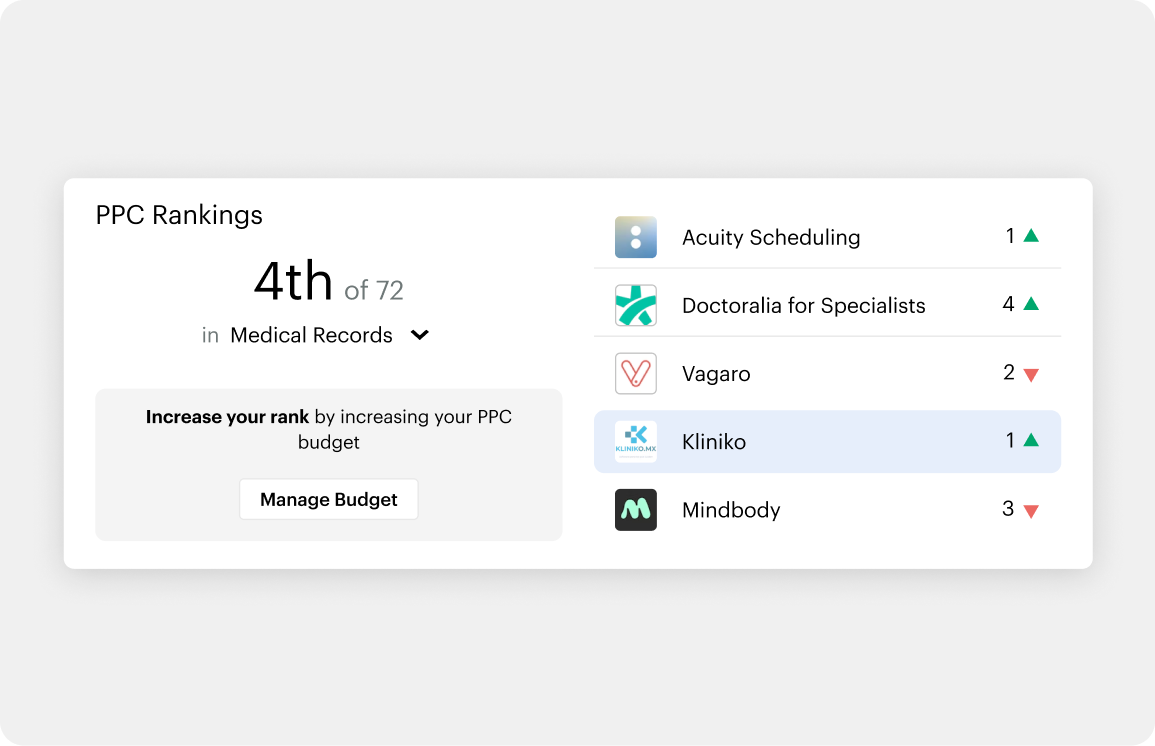
One idea I pushed for was adding a lightweight competitor overview to drive more engagement.

We used publicly available data to show how a vendor compared to others in the same category.

The initial version displayed the user's ranking against key competitors, adding a small gamification element to motivate action.This was a feature I strongly advocated for because it allowed us to turn existing data into a simple and effective fomo driver.
V0 Full View
This was the first concept we aligned on, though it still needed more definition and validation. To refine the requirements for the dashboard, we brought it into a workshop with additional PMs and Sales Leaders.
User Research & Testing

Advocating for Research and My Role
At this point in the project there was pressure from some leaders to approve the design as is, but I disagreed. One ongoing challenge for our team was gaining access to users, and sales often preferred that we avoid additional testing. This work, however, required validation. I pushed for a round of user interviews and led the effort to make it happen.
Aligning with Sales Leaders and PM's
After working through several variations of the dashboard with our PM, we wanted to identify more opportunities for improvement and validate the direction we had so far.

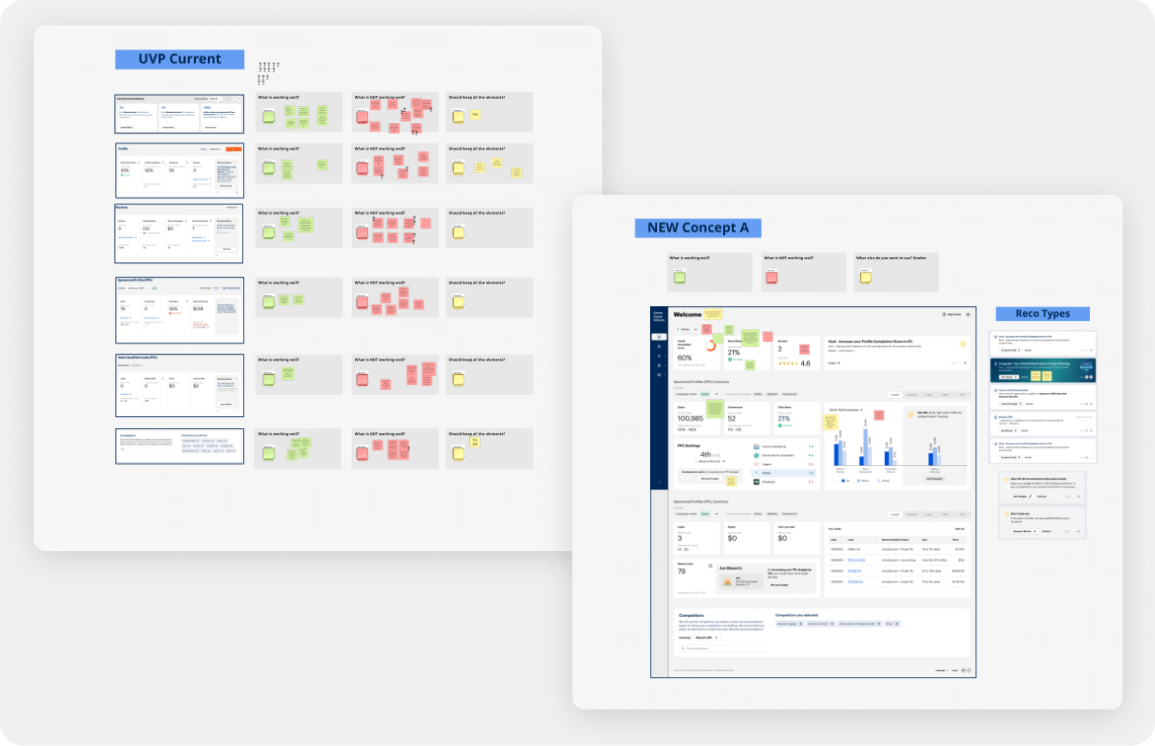
We brought in sales leadership as user experts since their team spends the most time with vendors, and we included PMs who owned different parts of the dashboard such as PPC, PPL, and Reviews.

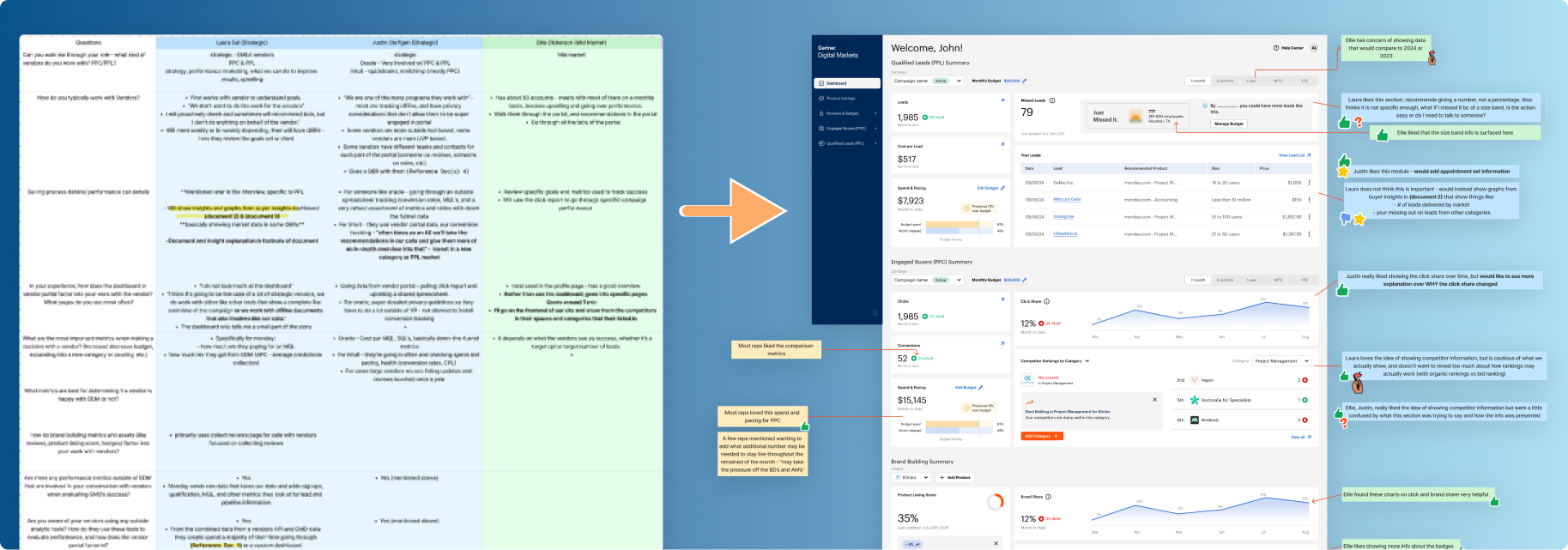
We reviewed both the old design and the new version and asked everyone to note what worked and what did not. After a group discussion, the lead PM and I aligned on the next steps.
Creating the Research Plan
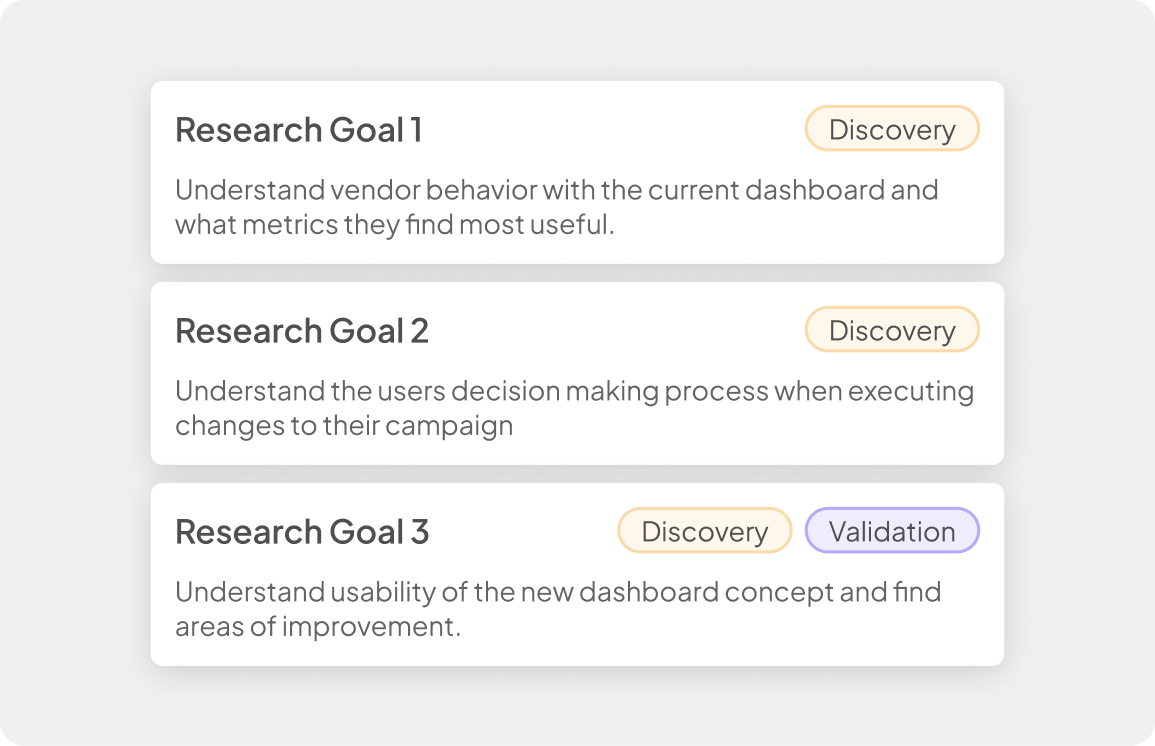
My research plan had two goals. I wanted to gather discovery insights and validate the direction of the new design. We had no prior research on how users made decisions, which metrics mattered most, or how they used the portal in practice.

I also needed to confirm that our design was usable and more engaging. Did the new modules resonate? Were we solving real problems? Given tight timelines and the difficulty of recruiting, I focused on making the most of every user session we secured.

Recruiting and Interviewing

7
Account Reps Interviewed
5
Customers Interviewed
Getting time with users was a major challenge during my time at GDM. Access was political and tightly controlled, and scheduling interviews within our project timeline made it even harder.

To work around this, I supplemented user interviews with additional sessions from internal account representatives who had deep insight into vendor behavior.

Research Synthesis & Next Steps

Identifying Trends and Annotations
This is where the heavy design work began. We needed to create a new modular layout for the dashboard that introduced clear visual sections while still staying within pre-established guidelines from product executives. The modular approach had to be flexible enough to support new modules after MVP and retain key design system elements from the previous version to enable faster delivery.
Creating Exective Insights
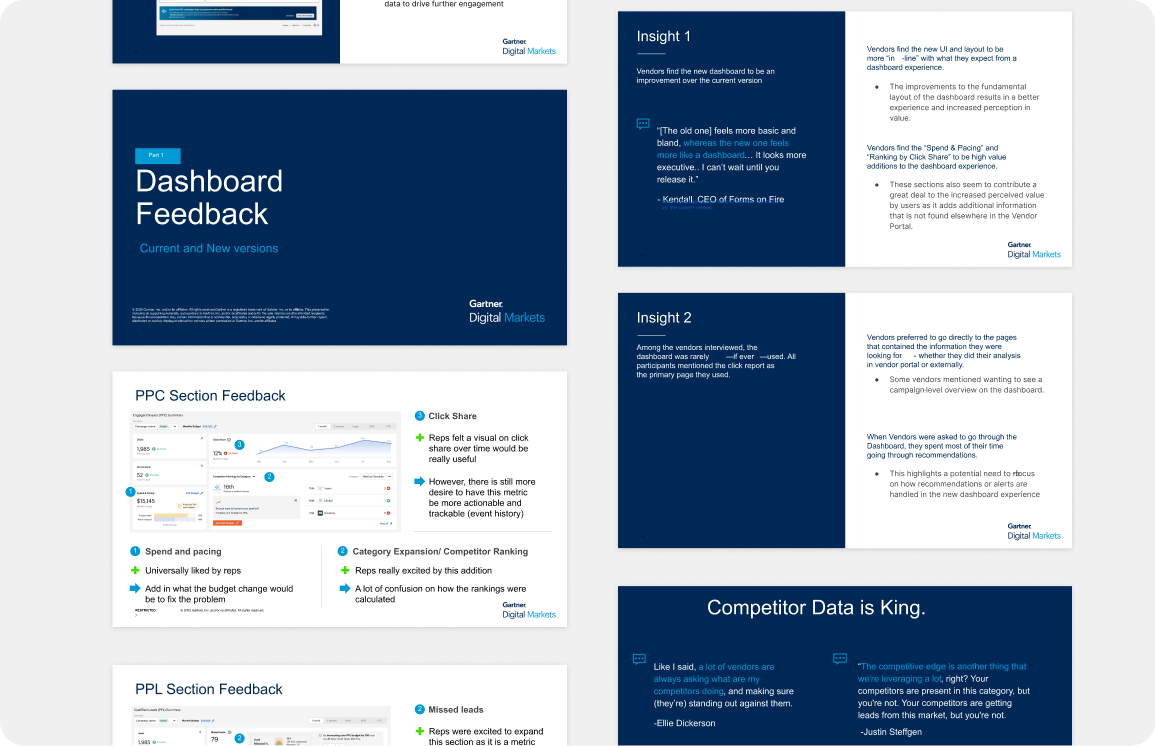
After identifying the themes and insights from our testing, I needed to translate the findings into a presentation that communicated them quickly and clearly.

I organized the research into key trends and new opportunities we could apply to future iterations. I then presented the work to executive leadership and the stakeholders responsible for each part of the product. The presentation was well received and we aligned on the next steps.
Research Insights
Users found the dashboard to be an improvement over the previous version
With the addition of new useful modules, and a refreshed UI that felt more “in-line” with user’s expectations of a dashboard; the new version was clearly favored over the original.
[The previous version] feels more bland and basic, whereas the new one feels more like a dashboard... it looks more executive... I can’t wait until you release it.
- Kendall, CEO @ Forms on Fire
Competitor data was a powerful driver for getting users to enter new categories.
Users had a strong appetite for more competitor data, and every participant listed the new competitor module as their favorite addition. Several users said competitor insights were one of the biggest factors in deciding to enter a new category.
If I saw that one of my main competitors was in a category that I was not, I would immediately opt-in. That is incredibly valuable information to me.
- Max, Digital Marketing Lead @ Intuit
Uncovering How Sales Used Data and New Ways We Could Apply It
During testing, I uncovered how the sales team used data when working with existing users and prospects looking to upgrade. Their methods and datasets had been unclear to our team before this research, and what we learned revealed a wide range of potential features and opportunities for users to better self-serve in the portal.
Conclusion
The project was successful, and our team delivered the final designs and recommendations on time. MVP decisions then moved to the project manager.
Create an Improved Dashboard Expience
We modernized the dashboard with a new sidebar navigation and a modular design system. Research confirmed the improvements and validated the usability.
Learn how users make decisions in the portal
This research added highly valuable decision-making insights to our repository and surfaced information that can drive future features.
Create new features to drive further revenue
We met this goal by adding a competitor ranking system and placing recommendations in context through data visualizations. These modules created clear excitement during interviews.
MVP Full View
This MVP was simpler than our early explorations, but it met the business and technical constraints. Some modules were removed, and the final version created a solid foundation for future improvements.